
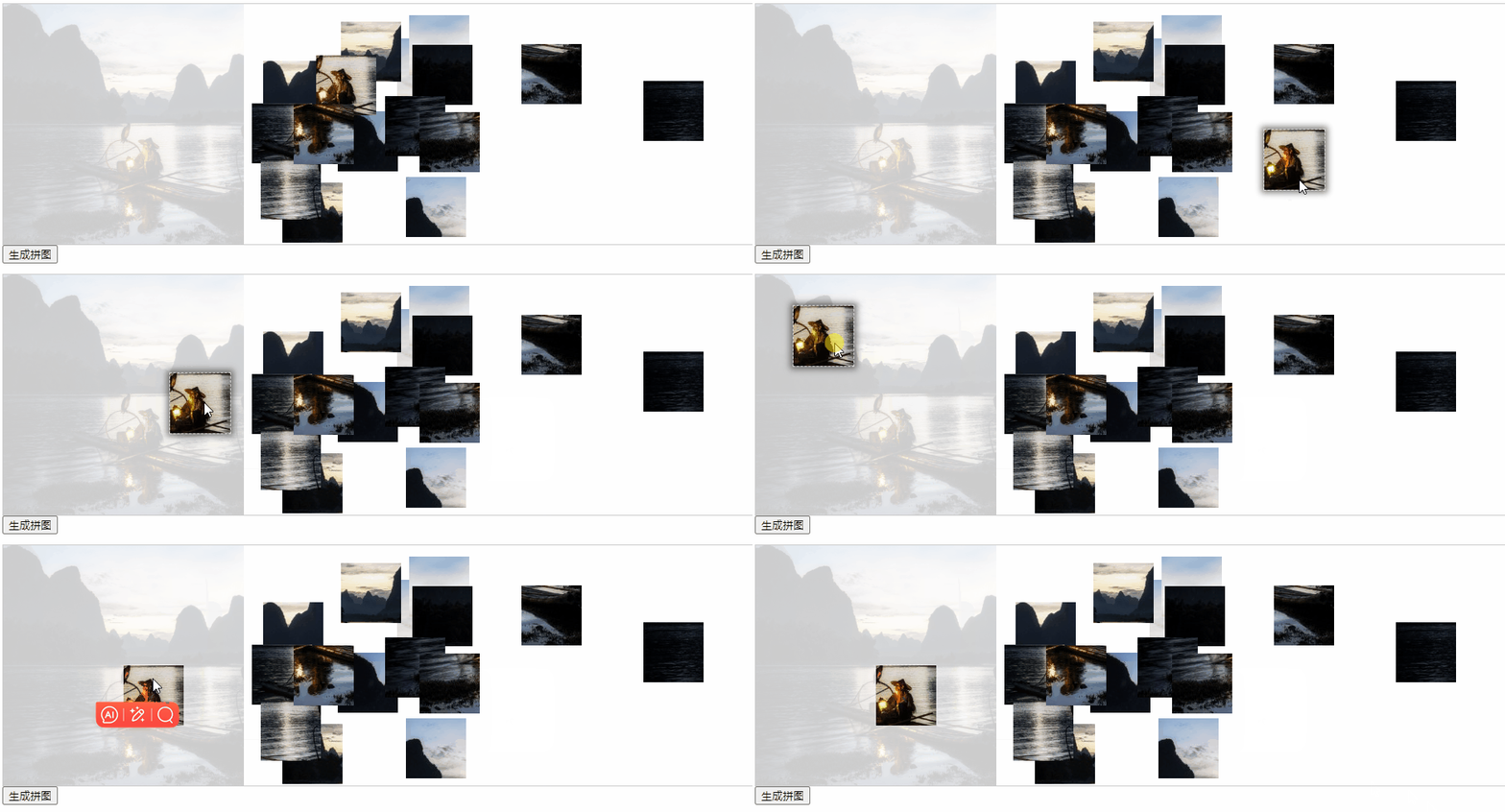
 拖动图片到原图上
拖动拆分的图片到原图上时需要计算该分片与原始位置的差值,如果x和y方向都在某个设定差值内就可以将分片固定到原图上。
# 构建分片信息
首先第一步新建分片信息列表用于存储分片位置、状态等信息,如下:
initPuzzleList() {
  // 总宽 = (拼图一行个数 - 1) * 间隔 + 固定图片宽
  this.tWidth = this.width + (this.size - 1) * this.gap;
  this.pWidth = this.width / this.size;

  this.puzzleList = []
  for(let y = 0; y < this.size * this.size; y++) {
    const puzzle = {
      w: this.pWidth, // 分片宽
      h: this.pWidth, // 分片高
      x: Math.random() * (this.width - this.pWidth) + this.width, // 分片随机位置x
      y: Math.random() * (this.width - this.pWidth), // 分片随机位置y
      z: 10,  // 分片z-index
      originX: y % this.size * this.pWidth, // 分片在原图上x
      originY: (y == 0 ? 0 : Math.floor(y / this.size)) * this.pWidth, // 分片在原图上y
      id: y,
      isActive: false, // 是否激活状态
      isDrag: false, // 是否拖动状态
      disabled: false // 是否禁用拖动
    }
    this.puzzleList.push(puzzle)
  }
},
1
2
3
4
5
6
7
8
9
10
11
12
13
14
15
16
17
18
19
20
21
22
23
2
3
4
5
6
7
8
9
10
11
12
13
14
15
16
17
18
19
20
21
22
23
将拖动组件vue-drag-resize稍作修改,
<vue-drag-resize
  ref="dragResizeRef"
  v-for="(puzzle, idx) in puzzleList"
  :key="puzzle.id"
  :w="puzzle.w"
  :h="puzzle.h"
  :isResizable="false"
  :isDraggable="!puzzle.disabled"
  :parentLimitation="true"
  :x="puzzle.x"
  :y="puzzle.y"
  :z="puzzle.z"
  :isActive="puzzle.isActive"
  :style="{ 'box-shadow': puzzle.isActive ? '0 0 8px 4px rgba(0, 0, 0, .5)' : 'unset' }"
  @dragging="onDragging($event, idx)"
  @dragstop="onDragstop($event, idx)"
  @deactivated="onDeactivated($event, idx)"
>
  <img class="puzzle-img" src="" :style="imgStyle">
</vue-drag-resize>
1
2
3
4
5
6
7
8
9
10
11
12
13
14
15
16
17
18
19
20
2
3
4
5
6
7
8
9
10
11
12
13
14
15
16
17
18
19
20
# 拼图分片是否在范围内
在拖动结束回调中判断x和y是否在预设的withinRange范围内即可
onDragstop(e, idx) {
  if (Math.abs(e.left - this.puzzleList[idx].originX) < this.withinRange
        && Math.abs(e.top - this.puzzleList[idx].originY) < this.withinRange) {
  }
}
1
2
3
4
5
2
3
4
5
# 固定分片
固定分片分为两个步骤,第一步禁用拖动,第二步将分片移动到原图位置。
禁用拖动很简单,拖动组件自带该功能将isDraggable属性设置为true即可,同时将固定的分片层级调低。在上面方法内设置disable为 false、z为1
this.$set(this.puzzleList[idx], 'disabled', true)
this.$set(this.puzzleList[idx], 'z', 1)
1
2
2
第二部稍微复杂点,如果我们直接修改分片x和y时,因为使用的是三方拖动组件会出现分片错位的情况,没有办法只有查看该组件源代码。如下:
// vue-drag-resize.js
watch: {
  x: {
    handler(newVal, oldVal) {
        if (this.stickDrag || this.bodyDrag || (newVal === this.left)) {
            return;
        }

        const delta = oldVal - newVal;

        this.bodyDown({ pageX: this.left, pageY: this.top });
        this.bodyMove({ x: delta, y: 0 });

        this.$nextTick(() => {
            this.bodyUp();
        });
    },
  },
}
1
2
3
4
5
6
7
8
9
10
11
12
13
14
15
16
17
18
19
20
2
3
4
5
6
7
8
9
10
11
12
13
14
15
16
17
18
19
20
在watch中可以看到当x发生变化时主要调用的是bodyDown和bodyMove两个方法,bodyUp方法为复位状态这里可以不用调用。于是在禁用分片代码后添加如下代码
this.$nextTick(() => {
  let x = e.left - this.puzzleList[idx].originX
  let y = e.top - this.puzzleList[idx].originY
  if (x != 0 || y != 0) {
    // 调用组件move方法
    this.$refs.dragResizeRef[idx].bodyDown({ pageX: this.puzzleList[idx].originX, pageY: this.puzzleList[idx].originY })
    this.$refs.dragResizeRef[idx].bodyMove({ x, y })
  }
  // 回复未激活状态,取消拖动效果
  this.$set(this.puzzleList[idx], 'isActive', false)
})
1
2
3
4
5
6
7
8
9
10
11
2
3
4
5
6
7
8
9
10
11
最总效果如下:
上次更新: 2025/09/05, 8:09:00